Crop
Extract a rectangular region from an image using the syntax widthxheight+x+y where:
widthandheightspecify the dimensions of the cropped regionxandyspecify the top-left corner of the crop region
Basic Crop
| Input | Output |
|---|---|
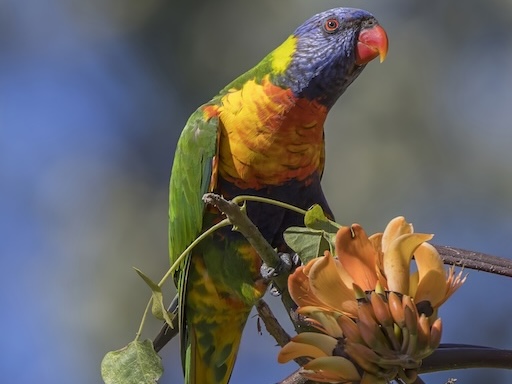 | 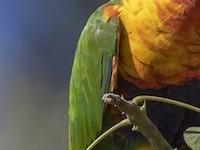 |
$ ./flatcv imgs/parrot.jpeg crop 200x150+100+100 imgs/parrot_crop.jpeg
Loaded image: 512x384 with 3 channels
Executing pipeline with 1 operations:
Applying operation: crop with parameter: 100.00 100.00 200.00 150.00
  → Completed in \d+.\d+ ms \(output: 200x150\) (regex)
Final output dimensions: 200x150
Successfully saved processed image to 'imgs/parrot_crop.jpeg'
Crop with Border
Crop a region and add a border around it.
| Input | Output |
|---|---|
| 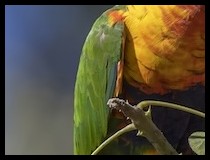 |
$ ./flatcv imgs/parrot.jpeg crop 200x150+100+100, border 000000 5 imgs/parrot_crop_border.jpeg
Loaded image: 512x384 with 3 channels
Executing pipeline with 2 operations:
Applying operation: crop with parameter: 100.00 100.00 200.00 150.00
  → Completed in \d+.\d+ ms \(output: 200x150\) (regex)
Applying operation: border with parameter: 000000
  → Completed in \d+.\d+ ms \(output: 210x160\) (regex)
Final output dimensions: 210x160
Successfully saved processed image to 'imgs/parrot_crop_border.jpeg'