Morphological Operations
Binary morphological operations for processing black-and-white images. These operations use a disk-shaped structuring element.
Erode
Erosion shrinks white regions by removing pixels at boundaries. Useful for removing small white noise or separating connected objects.
| Input | Output |
|---|---|
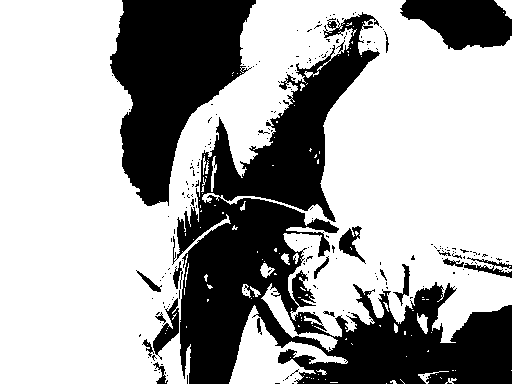 | 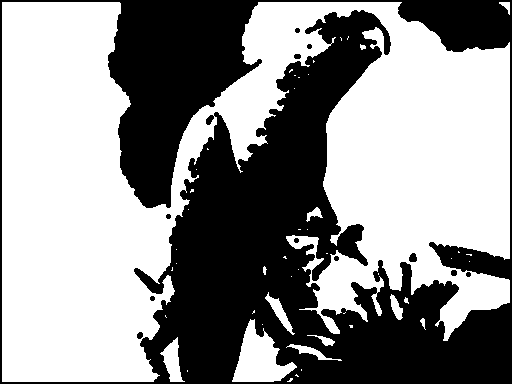 |
$ ./flatcv imgs/parrot_threshold.png erode 2 imgs/parrot_threshold_erode.png
Loaded image: 512x384 with 4 channels
Executing pipeline with 1 operations:
Applying operation: erode with parameter: 2.00
  → Completed in \d+.\d+ ms \(output: 512x384\) (regex)
Final output dimensions: 512x384
Successfully saved processed image to 'imgs/parrot_threshold_erode.png'
$ git diff --quiet imgs/parrot_threshold_erode.png
Dilate
Dilation expands white regions by adding pixels at boundaries. Useful for filling small holes or connecting nearby objects.
| Input | Output |
|---|---|
| 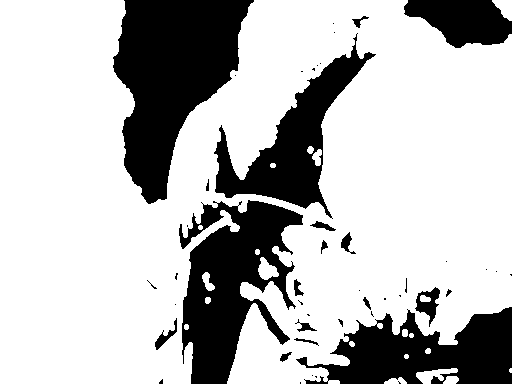 |
$ ./flatcv imgs/parrot_threshold.png dilate 2 imgs/parrot_threshold_dilate.png
Loaded image: 512x384 with 4 channels
Executing pipeline with 1 operations:
Applying operation: dilate with parameter: 2.00
  → Completed in \d+.\d+ ms \(output: 512x384\) (regex)
Final output dimensions: 512x384
Successfully saved processed image to 'imgs/parrot_threshold_dilate.png'
$ git diff --quiet imgs/parrot_threshold_dilate.png
Close
Closing performs dilation followed by erosion. It closes small dark gaps and holes within white regions while preserving overall shape.
| Input | Output |
|---|---|
| 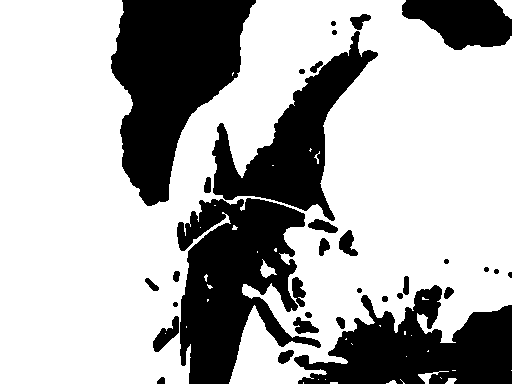 |
$ ./flatcv imgs/parrot_threshold.png close 2 imgs/parrot_threshold_close.png
Loaded image: 512x384 with 4 channels
Executing pipeline with 1 operations:
Applying operation: close with parameter: 2.00
  → Completed in \d+.\d+ ms \(output: 512x384\) (regex)
Final output dimensions: 512x384
Successfully saved processed image to 'imgs/parrot_threshold_close.png'
$ git diff --quiet imgs/parrot_threshold_close.png
Open
Opening performs erosion followed by dilation. It removes small white noise and thin protrusions while preserving overall shape.
| Input | Output |
|---|---|
| 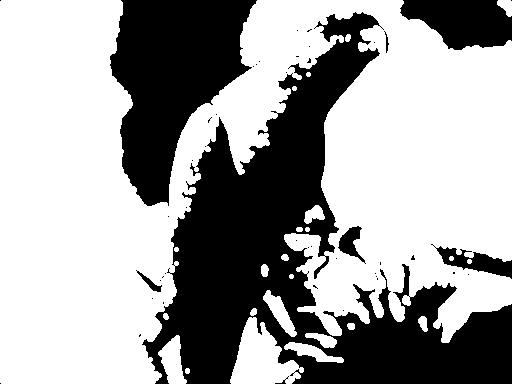 |
$ ./flatcv imgs/parrot_threshold.png open 2 imgs/parrot_threshold_open.png
Loaded image: 512x384 with 4 channels
Executing pipeline with 1 operations:
Applying operation: open with parameter: 2.00
  → Completed in \d+.\d+ ms \(output: 512x384\) (regex)
Final output dimensions: 512x384
Successfully saved processed image to 'imgs/parrot_threshold_open.png'
$ git diff --quiet imgs/parrot_threshold_open.png